How to switch your IB to AlphaOnChart on Exness
Already have an Exness account? There are two ways to get 100% of the IB commission refunded and AlphaOnChart's benefits: open a new account or ask Exness to change your partner.
- 01
Choose the option that suits you
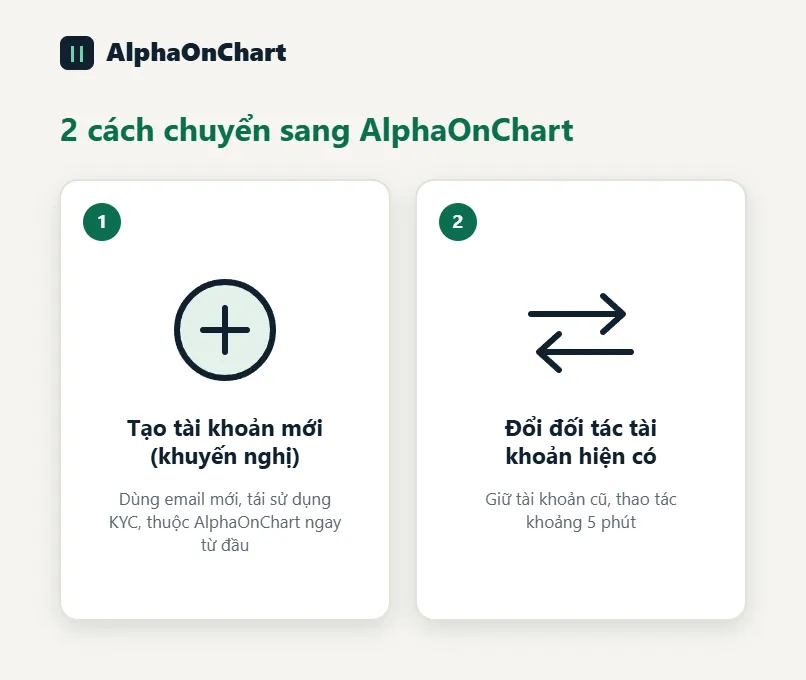
Option 1: open a new account (recommended). Exness lets you use one set of KYC documents for up to 10 different accounts, so you can register another one with a new email without verifying different documents. The new account belongs to AlphaOnChart from the start; see the guide “How to open an Exness account through AlphaOnChart”. Option 2: keep your current account and ask Exness to change your partner. It takes about 5 minutes and has 2 parts: get the partner-change link, then use that link to submit the request.
 Choose Option 1: open a new Exness account →
 - 02
Part 1: sign in and open the live support chat
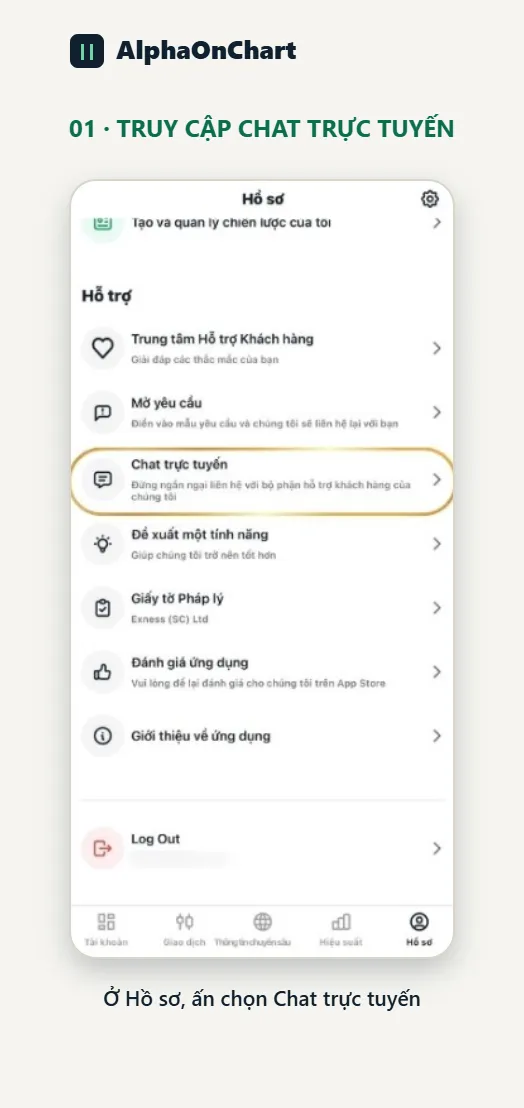
Sign in to your Exness Personal Area with the account you want to change. In the app, go to Profile in the bottom-right corner, scroll down to Support and choose “Live chat”.
- 03
Send the request to get the partner-change link
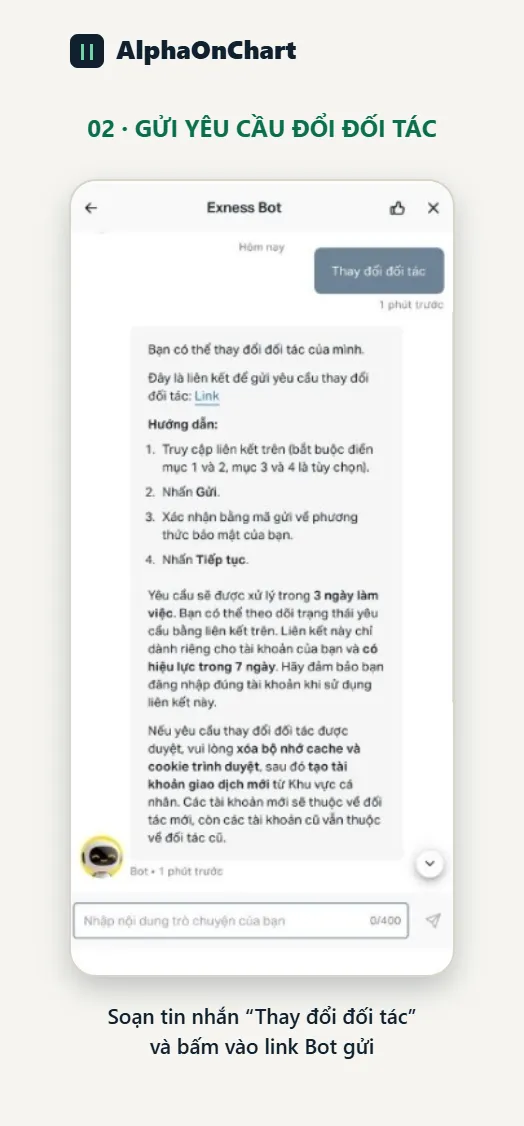
Copy and send the following sentence into the chat box as is: “I want to change my partner. Please provide a partner-change link for my account.” (Or click the “Change partner” button if the bot shows it.) Exness will send you a personal partner-change link. The link is valid for 7 days, so use it right away.
- 04
Part 2: use the link Exness sent to enter the new partner
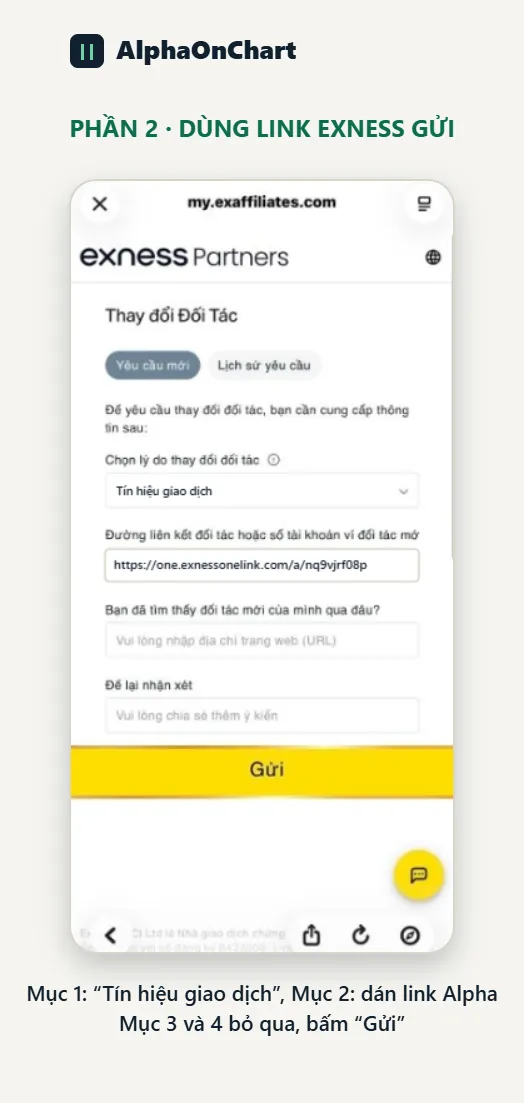
Open the link you just received and go through it in order: • Item 1: choose the 2nd option, “Trading signals” • Item 2: paste AlphaOnChart's partner link: https://one.exnessonelink.com/a/nq9vjrf08p • Items 3 and 4: skip • Finally click “Submit”, enter the confirmation code sent by email or phone, then click “Continue”. That completes your partner-change request.
- 05
Wait for Exness to approve and create a new trading account
Wait for Exness to process the request. Once approved, the new partner information is updated in Exness's system. You can check the status yourself by signing in to your Personal Area or reopening the partner-change link you used (the “Request history” section). After the partner change succeeds, create a NEW trading account on Exness (clear your browser cache and cookies first). Your old trading account still belongs to the old partner; only the new account counts for rebates.
- 06
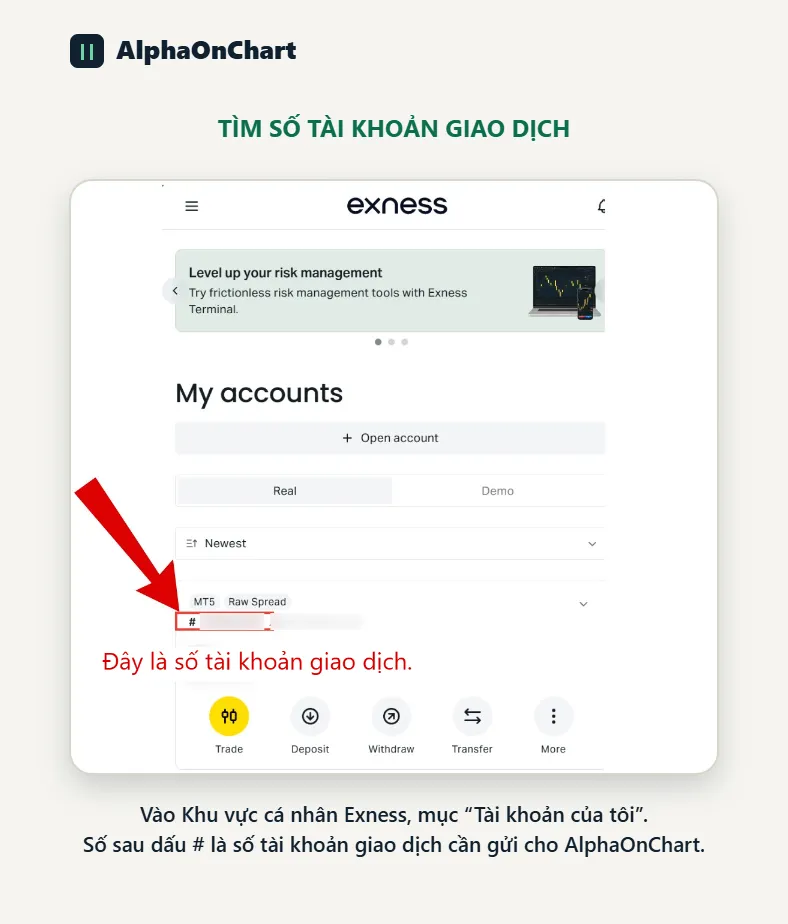
Send the new trading account ID via Telegram
In your Exness Personal Area, under “My accounts”, the number after the # sign is the trading account number. Send this NEW trading account number via Telegram @alphaonchart to confirm and activate: • 100% IB commission refund (Exness calculates this separately under the broker's policy) • XAUUSD analysis updated twice a day • The signal group and community • Exclusive Indicators and EAs
Send your ID via Telegram →