How to switch your IB to AlphaOnChart on XM
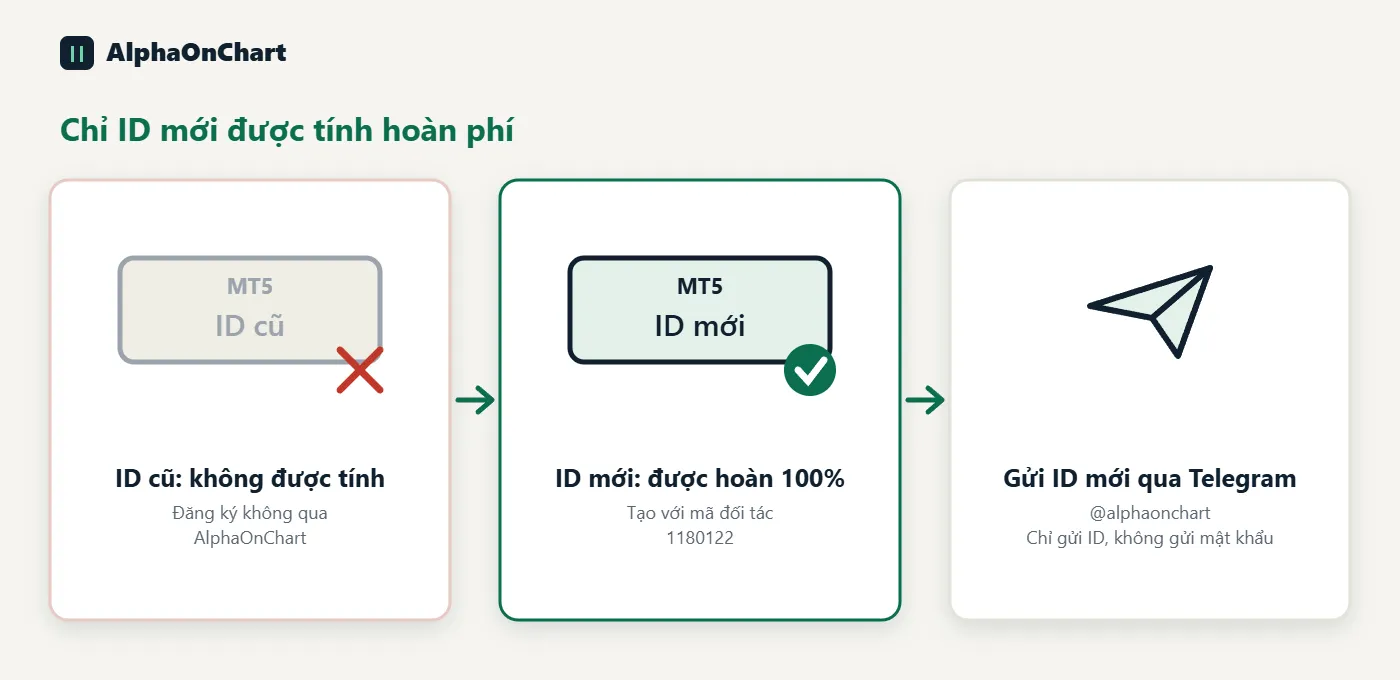
Already have an XM account? Send the broker a request to change your partner to get 100% of the IB commission refunded and AlphaOnChart's benefits. The process happens only between you and the broker and does not affect your account.
- 01
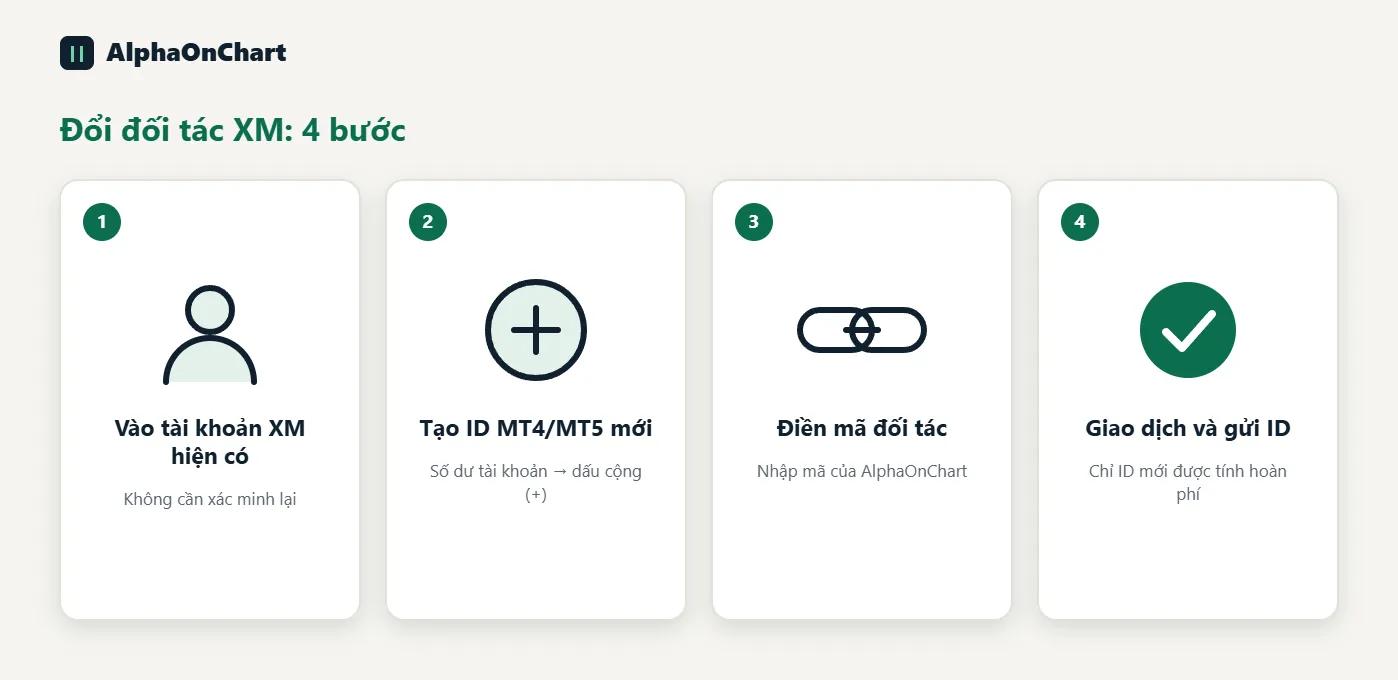
Sign in to your existing XM account
Open the XM app or the XM member area and sign in with the account you already use. There is no need to create a profile or verify again.
- 02
Create an additional MT4/MT5 ID
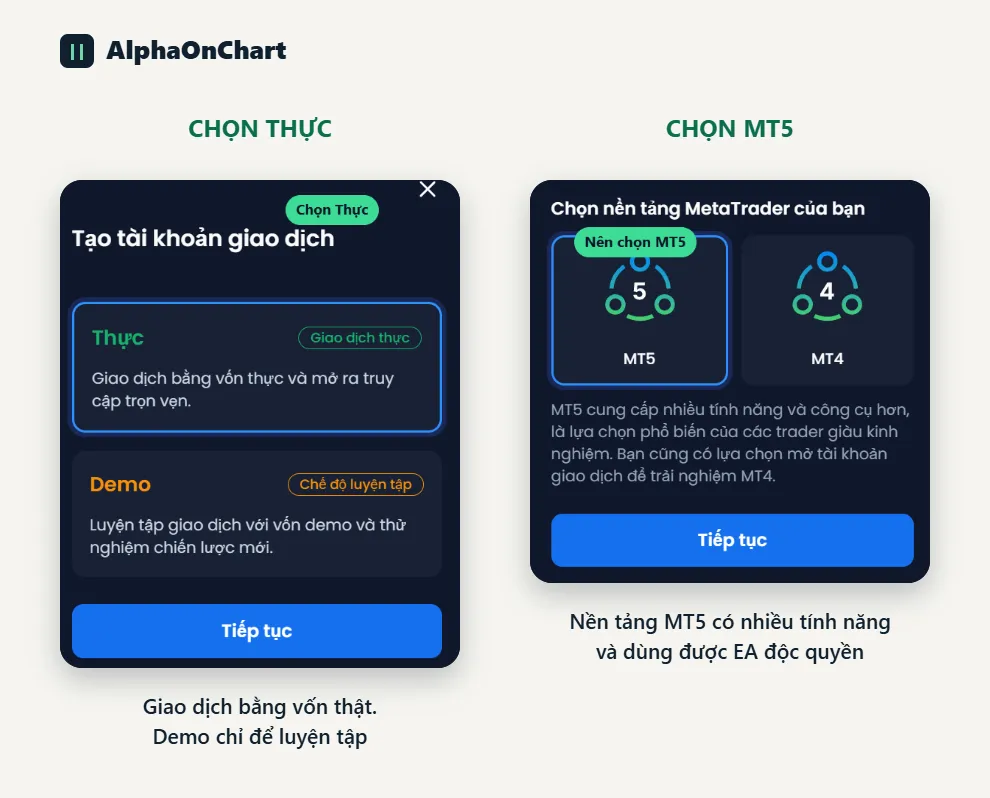
Go to the home page, choose Account balance → click the plus sign (+) in the right corner → choose “Real account”. Then choose “Real” and the MT5 platform, and click “Continue”.
- 03
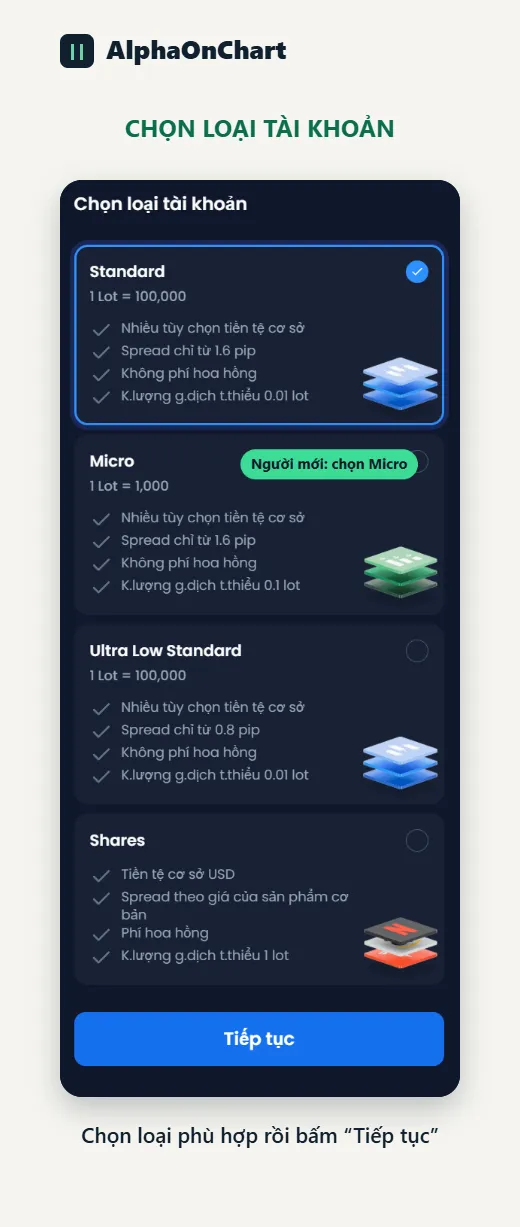
Choose the account type
Choose a suitable account type (Standard, Micro, Ultra Low Standard or Shares) and click “Continue”.
- 04
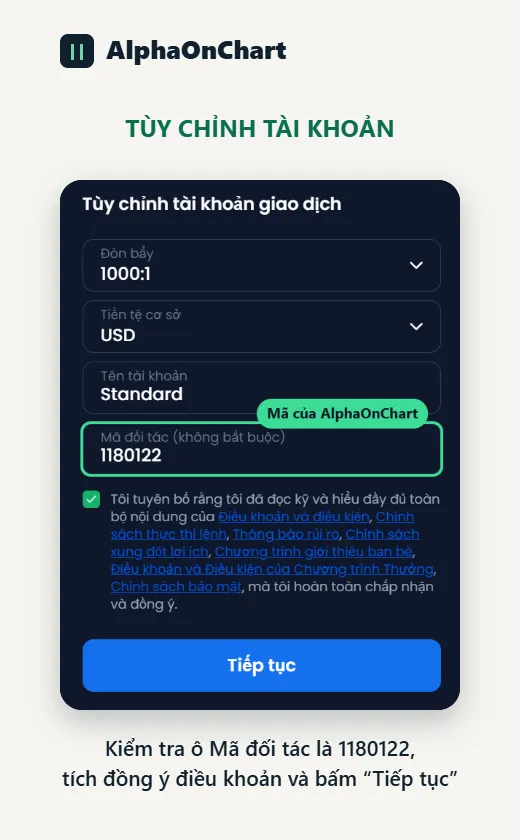
Enter AlphaOnChart's partner code
On the “Customize trading account” screen, enter AlphaOnChart's partner code in the “Partner code” field: 1180122. Choose the leverage and currency, tick to accept the terms, then click “Continue” to finish creating the account.
- 05
Trade on the new ID and send the ID to AlphaOnChart
Only the newly created MT4/MT5 ID counts for rebates. Old IDs not registered through AlphaOnChart are not counted. Send the new ID via Telegram @alphaonchart to confirm and activate your benefits.